We are here to help you compose beautifully
Frequently Asked Questions
How do I overlay the Golden Spiral on my photo?
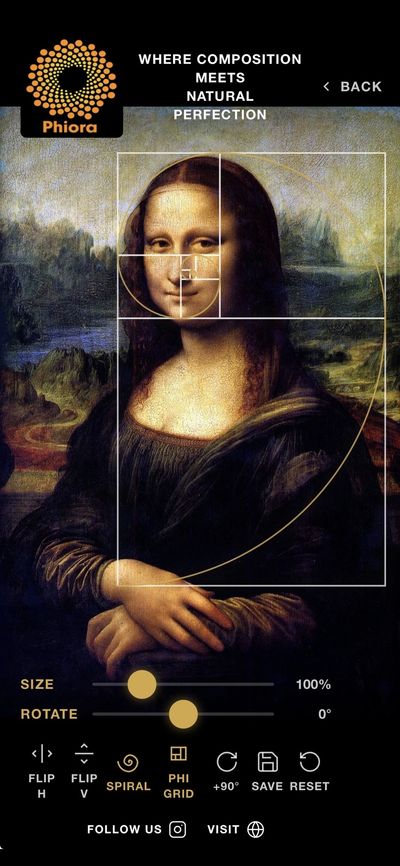
Tap Gallery on the home screen and select any photo. The Golden Spiral overlay will appear automatically. Use the Size and Rotate sliders to position it over your subject.
Can I use Phiora with my camera in real time?
Yes! Tap View on the home screen to open a live viewfinder with the Golden Ratio overlay. Compose your shot before you press the shutter.
What is the difference between Spiral and Phi Grid?
The Phi Grid are the ratios of one square to another in a spiral sequence. The Spiral connects the corners to make a continual spiral as seen throughout nature.
How do I save my analyzed image?
Currently, taking a screenshot will save your project in your Photos
How do I flip or rotate the overlay?
Use the flip or rotate icons on the bottom left of the image
Can I analyze artwork or paintings?
Absolutely. Tap View for a live study or Gallery to import any image — including scans of paintings, digital artwork, or photographs of physical pieces — and apply the overlay.
What does the Reset button do?
Tapping Reset returns the overlay to its default size, rotation, and position without affecting your original image.
Secure and Private
We take your privacy and security seriously, which is why we use the latest encryption technology to protect your data.